Posted by Maia on Oct 1st 2026
How to Use the Reserve Now Feature
NEW FEATURE

Reserve Now: Check out today, get exactly what you picked
You can now pay for an upcoming delivery the moment you build it. Your items come off our shelves and are held for you, at the price you saw, even if delivery is weeks away.
BEFORE
WITH RESERVE NOW
Why you'll want to use it
No more sold-out surprises
Lock in sale prices
See a sale this week but your delivery is two weeks out? Reserve it now. The price you see is the price you pay.
Plan ahead
Reserve your Thanksgiving turkey in October. No separate form, and no finding out the week of that they're gone.
Stack orders on one day
Reserve part of your order now and keep adding to an open order for the same day. Have more than one coupon code? Use one on each order.
How it works
1️ Add items to a delivery
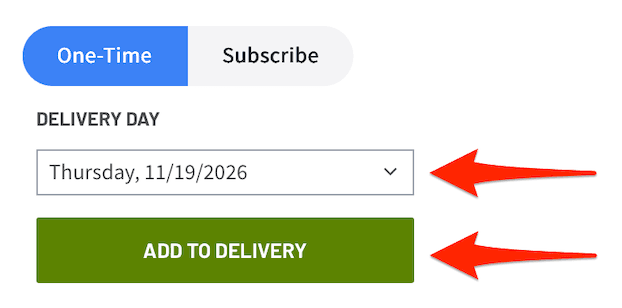
Shop like you always do. Click the image for each product to show your next available delivery date. Tap the date to pick a different one, then click Add to Delivery.
2️ Open Deliveries and click Reserve Now
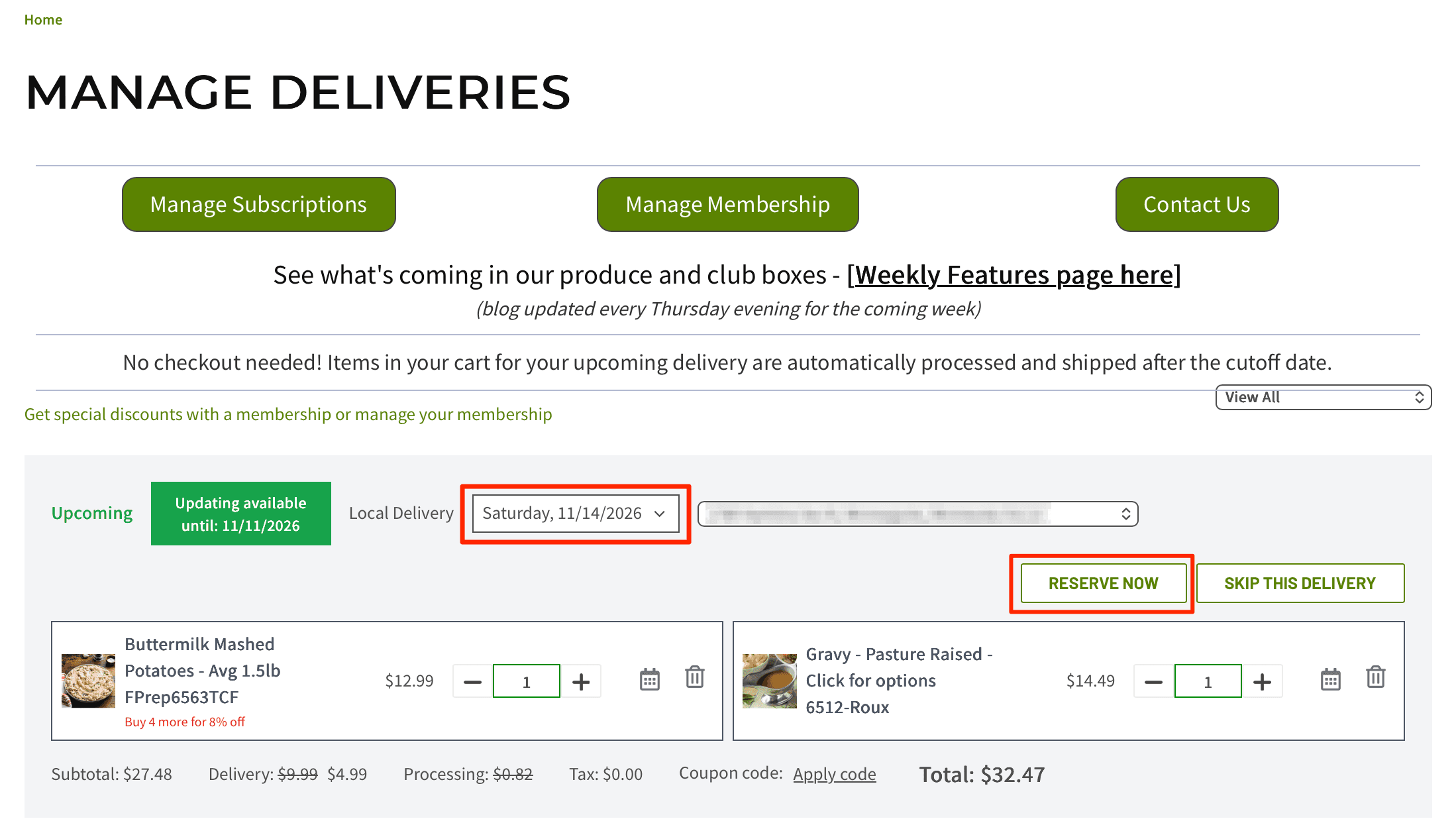
Click Deliveries in the top right (basket icon). It shows each scheduled delivery and everything in it, so you can spot anything that landed on a day you didn't intend. Make sure all of your items are on the delivery date that you want them.
To adjust your delivery date, select the date you would like to receive that delivery from the drop down, then click Reserve Now.
3️ Confirm and pay
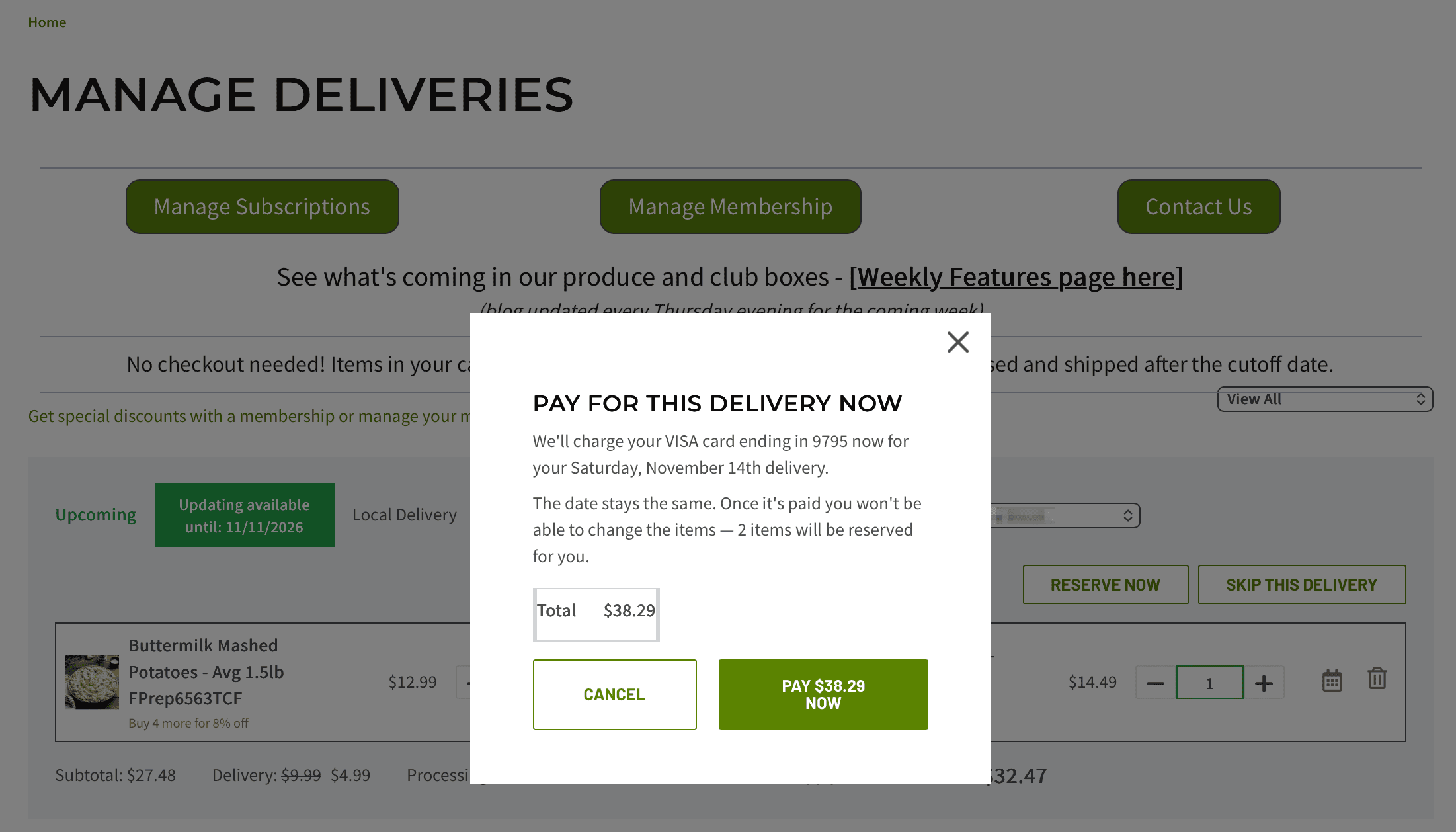
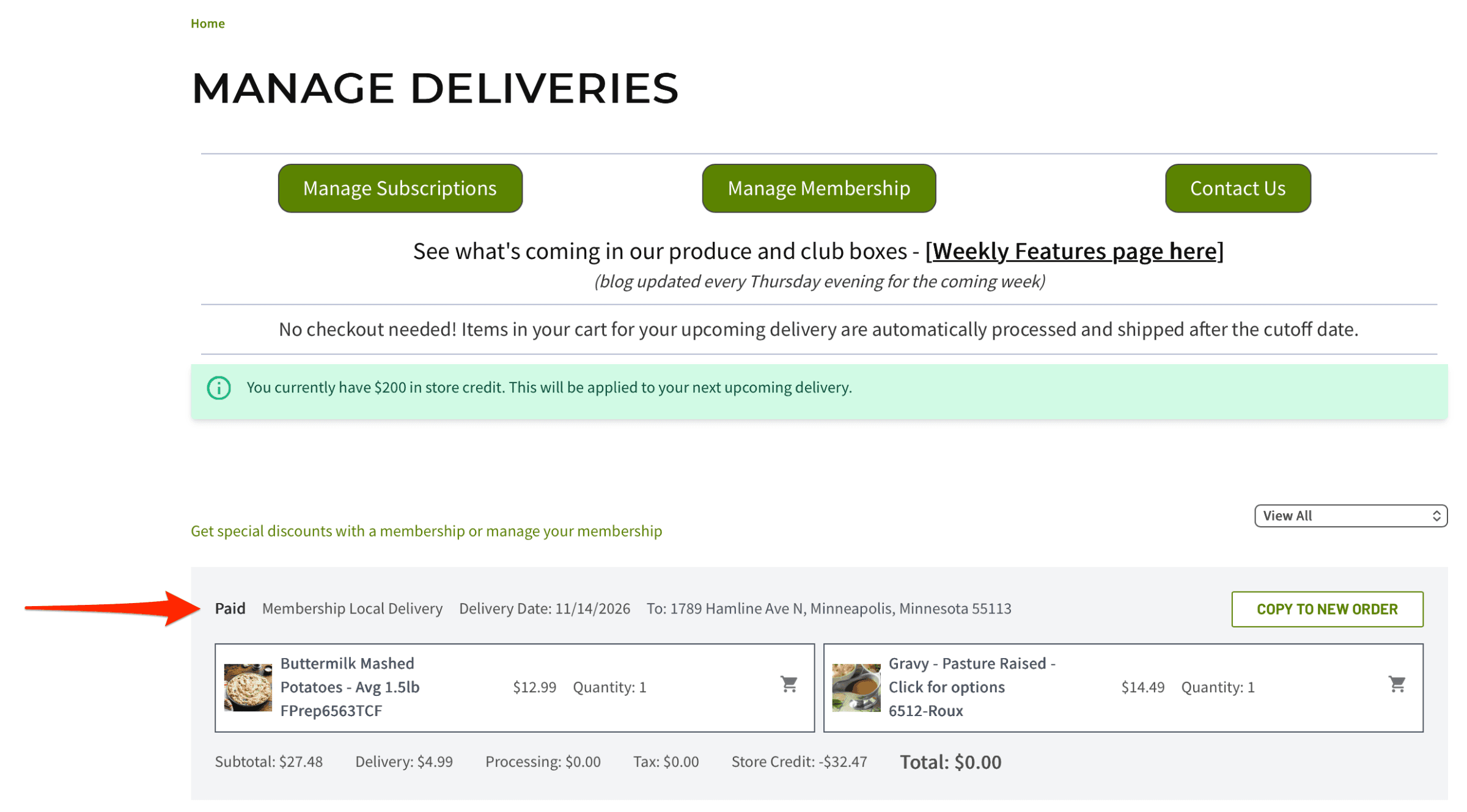
A pop-up shows your total and the card on file. Click Pay and you're done. The order now shows as Paid on your Deliveries page.
Good to know
• You don't have to reserve. Orders you don't reserve work just like before and process at the cutoff, 2 days before delivery.
• Delivery days run Monday to Saturday. Which days you see depends on your zip code.
Questions
Yes. You can add the items to a new order for the same delivery day. The second delivery fee should come off automatically, so you only pay it once.
Once the order is reserved/paid, you will not be able to make any changes to the order in your account.
Email info@tc.farm or call 612-217-1770 and we'll be able to help you out!
Subscription items will continue to generate open orders as usual. Your subscription orders can be reserved early or left to auto-process 2 days prior to the delivery date.
Only one coupon code per order, but you can place more than one order on the same day. Have two coupon codes you want to use for one delivery day? Use one on your first order, and the other on a second order.
Tell us how it's going
This is brand new. If something looks off, confuses you, or could be easier, we want to hear it.
info@tc.farm · 612-217-1770